![DentalMarketing-Logo2-White copy.png]](https://grow.dentalmarketing.com/hs-fs/hubfs/DentalMarketing-Logo2-White%20copy.png?height=40&name=DentalMarketing-Logo2-White%20copy.png)
Yes, you can receive reports via email. Here are the steps:
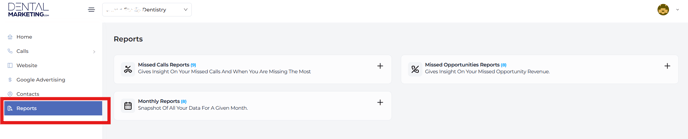
- Go to the left side panel and click on the "Reports" section.
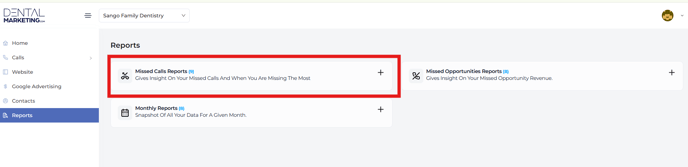
- Select the type of report you want to set up, such as the Missed Call Report.
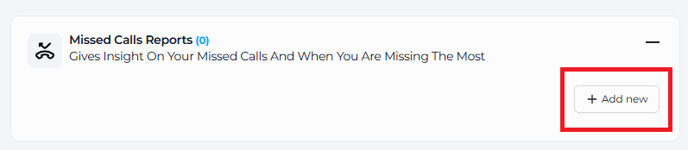
- Click on the "+" sign, then select the "Add New" button in the lower right corner of the panel.
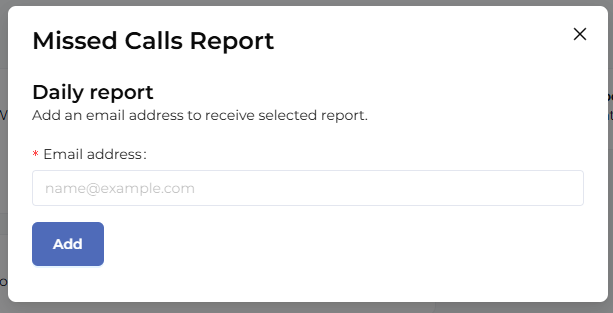
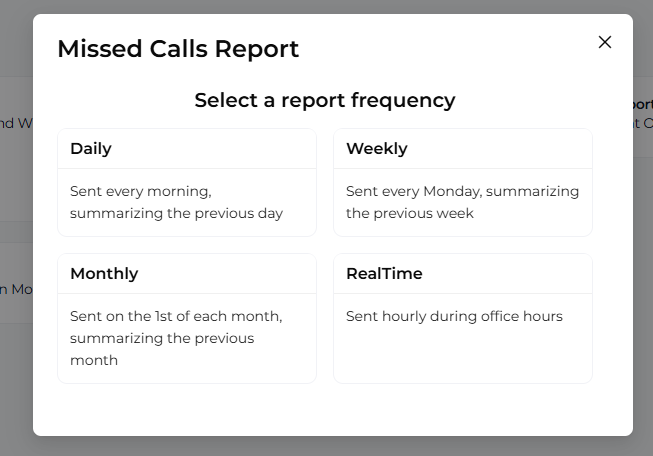
- A pop-up will appear where you can choose the report frequency: Daily, Weekly, Monthly, or Real-time.
- Enter the email address where you’d like to receive the report, click "Add," and you’re all set!