![DentalMarketing-Logo2-White copy.png]](https://grow.dentalmarketing.com/hs-fs/hubfs/DentalMarketing-Logo2-White%20copy.png?height=40&name=DentalMarketing-Logo2-White%20copy.png)
- Log in to your Webflow account and locate the website you’d like to transfer from your dashboard.
- Click Site Settings.
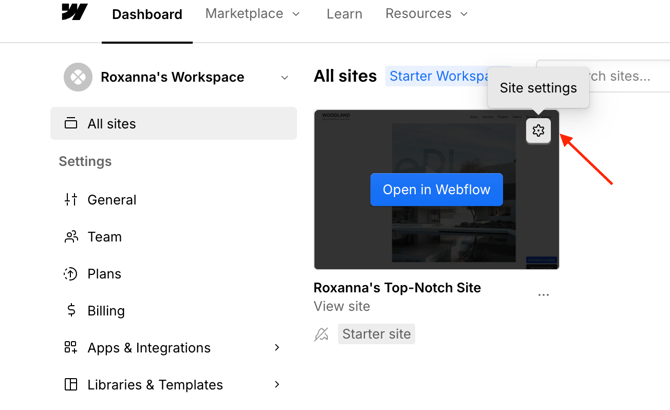
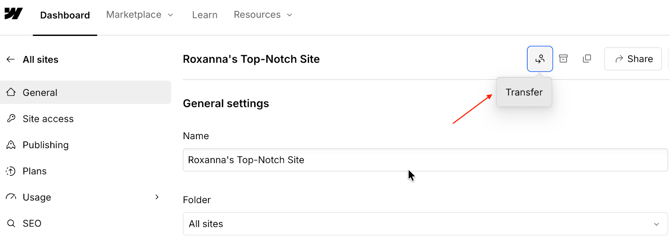
- Scroll to find the Transfer Site option and click it.
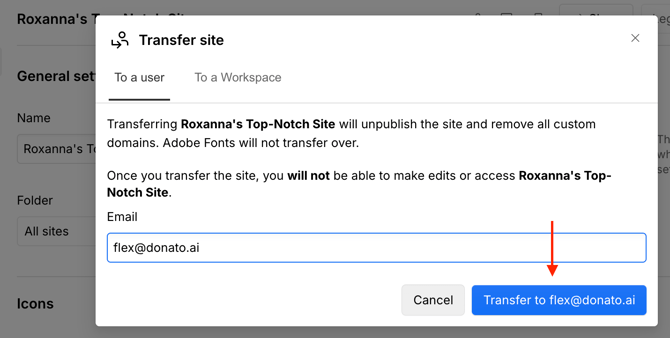
- Select the To a user tab.
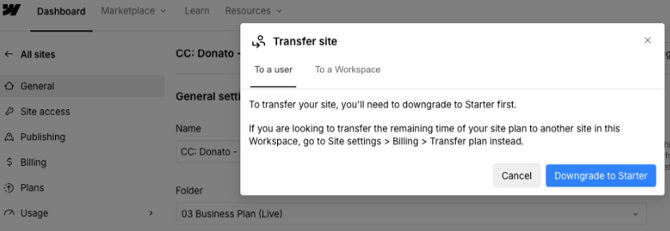
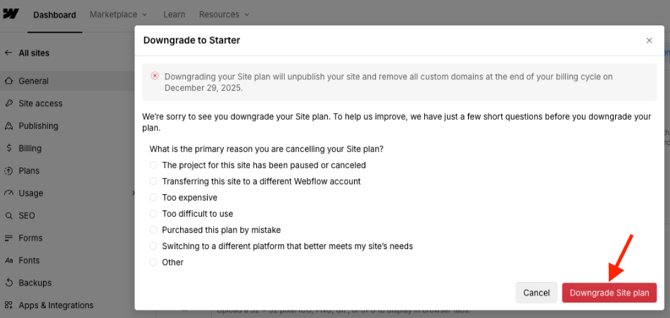
- If prompted, click Downgrade to Starter, then confirm by selecting Downgrade to Site Plan.
- In the Transfer site field, enter the following email address: flex@donato.ai.
- Click Transfer to flex@donato.ai to complete the process.
- Once the transfer is submitted, the receiving workspace will be able to accept and manage the site.