![DentalMarketing-Logo2-White copy-1.png]](https://grow.dentalmarketing.com/hs-fs/hubfs/DentalMarketing-Logo2-White%20copy-1.png?height=40&name=DentalMarketing-Logo2-White%20copy-1.png)
How to Organize Your Canva Folders
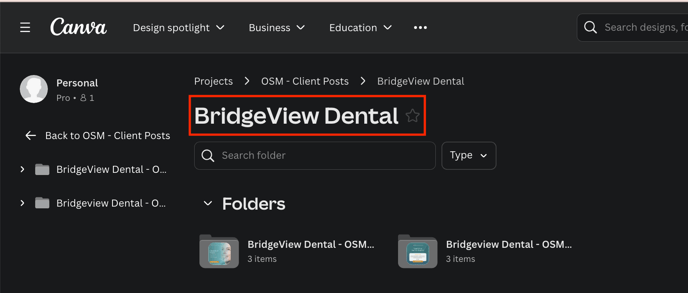
Step 1: Main Client Folder
Name the main folder using the full name of the dental practice.
For example, Bridgeview Dental.
Step 2: Monthly Calendar Folders
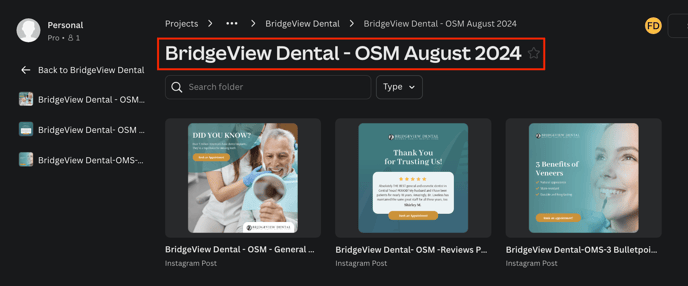
Organize social media posts into monthly folders. Name the individual folder using this format:
Practice Name - OSM [Month, Year]
- Example: Bridgeview Dental - OSM August 2024
Step 3: Individual Post Design Files
Within each monthly folder, create separate files for each post design (e.g., general posts, 3 bullet points, reviews). Use the following naming format for each file:
Practice Name - OSM [Month, Year] - Post Type
Example: Bridgeview Dental - August 2024 - General Posts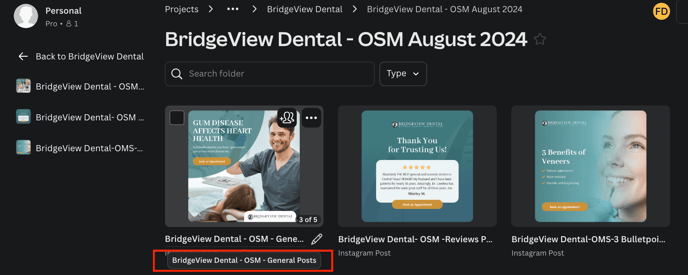
Note: Let's follow this system for all our OSM clients.