![DentalMarketing-Logo2-White copy-1.png]](https://grow.dentalmarketing.com/hs-fs/hubfs/DentalMarketing-Logo2-White%20copy-1.png?height=40&name=DentalMarketing-Logo2-White%20copy-1.png)
-
Copy the dynamic insertion script from this SOP https://grow.dentalmarketing.com/university/how-do-i-setup-dynamic-number-insertion to ensure you have the most up-to-date version
- Send the script to yourself in Slack formatted as a code block
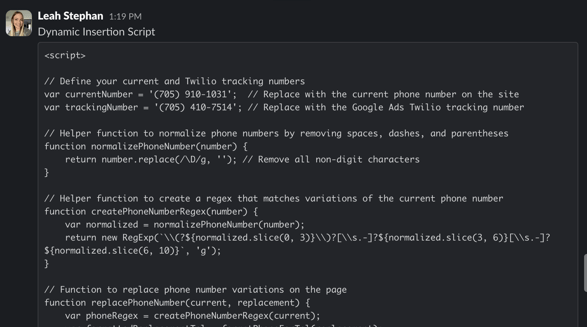
- Edit the code directly in Slack
- Replace the 'currentNumber' with the website call tracking number displayed in the task
- Note: Verify that the number is correct by checking the 'Website - (XXXX)' phone number in the Admin portal of the dashboard under the client profile > 'Twilio'
- Replace the 'trackingNumber' with the Google Ads call tracking number displayed in the task
- Note: Verify that the number is correct by checking the 'Google Ads - (XXXX)' phone number in the Admin portal of the dashboard under the client profile > 'Twilio'
- Replace the 'currentNumber' with the website call tracking number displayed in the task
- Copy and paste the updated code into a text file and name accordingly (i.e. Dynamic Script - CLIENT NAME)
- Open the Associated Ticket and click 'Actions' from the top-left side > Select 'View All Properties'
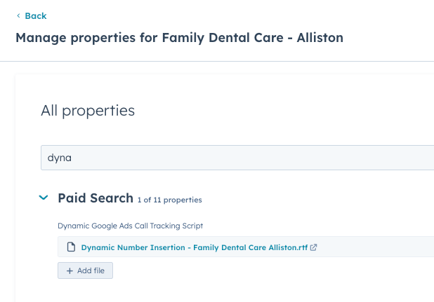
- Search for the 'Dynamic Google Ads Call Tracking Script' property field
-
- Upload the text file
- Save changes
- Upload the text file
- Mark task as complete