![DentalMarketing-Logo2-White copy-1.png]](https://grow.dentalmarketing.com/hs-fs/hubfs/DentalMarketing-Logo2-White%20copy-1.png?height=40&name=DentalMarketing-Logo2-White%20copy-1.png)
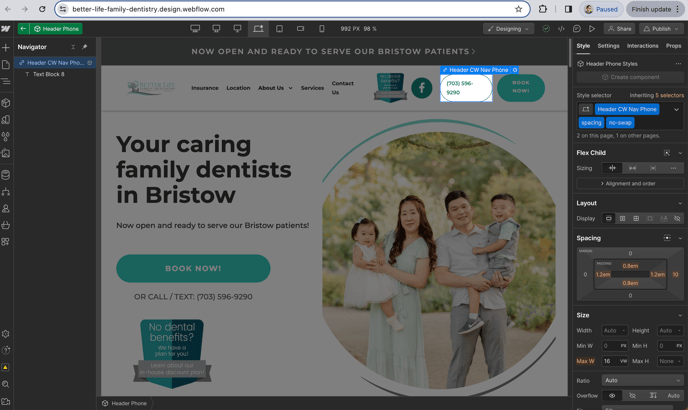
Step 1: Add no-swap class to all phone numbers:
Please add this class to all phone numbers on the website. (Omit the Mail LP and it's child pages.
Step 2: Open WhatConverts and find the practice profile
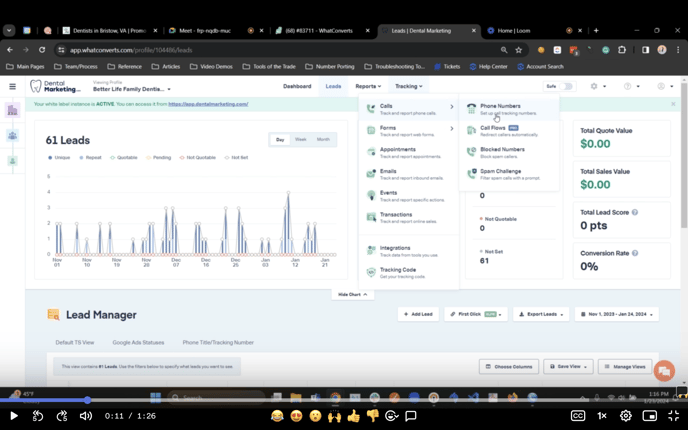
Step 3: Go tho Phones
On the top menu search for Tracking and click on the Phone Numbers option.
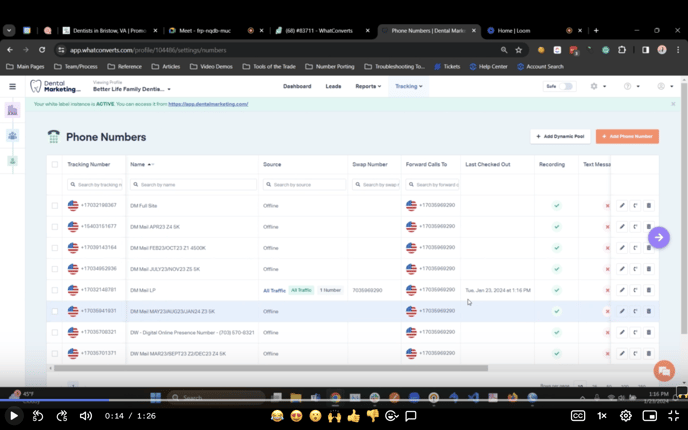
Step 4: Edit Pool on the Tracking number
Search for the Mail LP tracking number and click on the option Edit Pool
Step 5: Add URL triggers
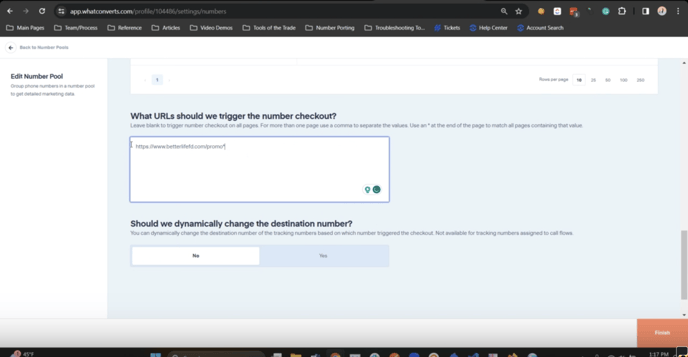
On the Edit Pool page scroll to the bottom to the field with the label: What URLs should we trigger the number checkout?
Write the promo landing page url, and add an * so the phone swap occurs on the promo lp and all its children.
Click finish.
Loom Video Tutorial
https://www.loom.com/share/77be553b9ebf4df0a86d3a8cf171c8ee