![DentalMarketing-Logo2-White copy-1.png]](https://grow.dentalmarketing.com/hs-fs/hubfs/DentalMarketing-Logo2-White%20copy-1.png?height=40&name=DentalMarketing-Logo2-White%20copy-1.png)
Here you will find the step by step on how to use the custom Google Reviews widget.
- You will need Donato.ai's Google Cloud API key (you can ask for this to our technology team since this key might change).
- You need the GMB ID or Place ID for the dental practice you need the reviews from.
- Go to Google Cloud Place Finder.
- In the map's search bar, write down the name of the dental practice. Confirm the adress to make sure you are picking the correct place.
- Copy Place ID and save it, you will need it for future steps.
- In Webflow, open the project with Designer.
- From the components, search for Google Review Widget.
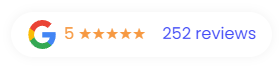
- Delete both textfields so that the widget looks like this:

- Add a new Embeded element (or in components search for Custom Google Widget) inside the Google Review Widget. Add it at the right side of the Google logo.
- In this embeded element, go to Edit -> Settings -> HTML Embeded Settings -> Open Code Editor.
- In the window, copy this code below and paste it there. Replace on line 6 "[PLACE_ID]" with Place ID you got from Google Cloud Place Finder. Click 'Save & Close'.
<div id="reviews-container"></div>
<script>
  document.addEventListener("DOMContentLoaded", function () {
    // Fetch HTML content from the API

    const gmbID = "[PLACE_ID]"; //Line 6

    fetch(

      `https://googlereviewwidget-api-production.up.railway.app/api/reviews/${gmbID}`

    )

      .then((response) => response.text())

      .then((htmlContent) => {

        // Update the HTML content of the container

        const reviewsContainer = document.getElementById("reviews-container");

        reviewsContainer.innerHTML = htmlContent;

      })

      .catch((error) => {

        console.error("Error fetching reviews:", error);

        // Handle the error, e.g., display an error message to the user

      });

  });

</script>
The final product should look something like this:
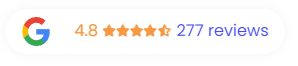
It's a more accurate representation and it looks almost the same, and this will always be up to date with the live reviews every time the page reloads!
**If you need changes on the style, contact the technology team so we can help improve the way it looks.**